


Cereal Box Template & Dieline: How to Design Your Own
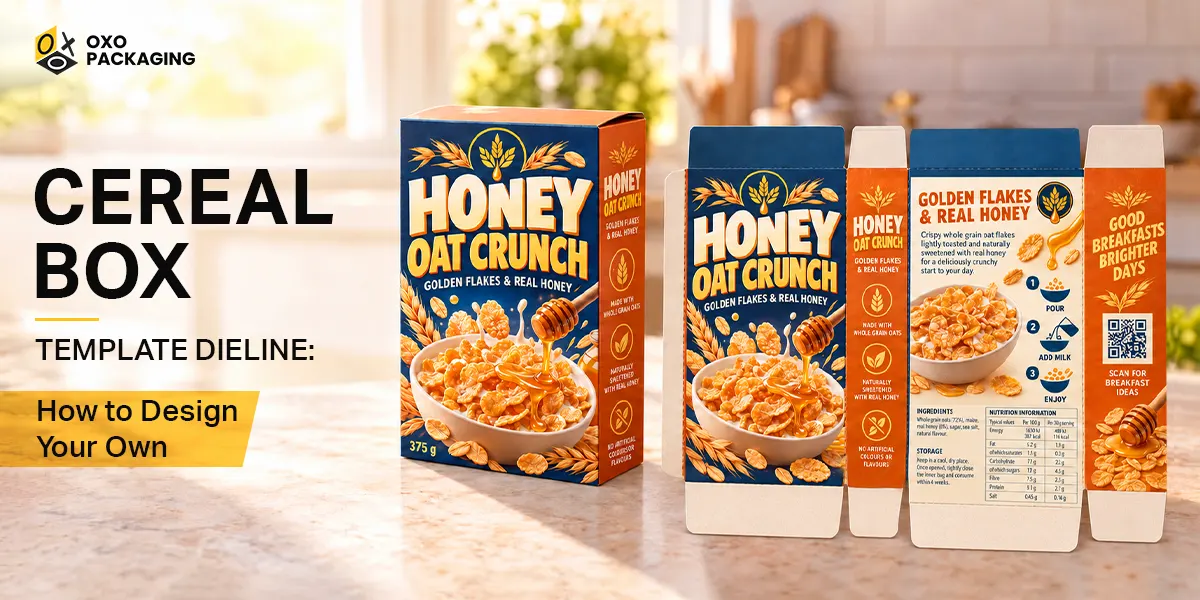
A cereal box template and dieline is a two-dimensional, foundational step to design and create a perfect three-dimensional cereal box for the printing and manufacturing of these boxes. You can produce the perfect cereal boxes by creating amazing three-dimensional cereal boxes with the use of different tools and techniques.
This guide will help you learn how to create a reliable cereal box template and dieline for your printing and production purposes for your products.
Why Design a Cereal Box Template and Dieline?
Custom cereal boxes are trending for different stages, like brand launches, unique gifts, or party favors. Designing a cereal box with a proper structure or a digital map can misalign the prints and cause broken folds. Learning what a dieline is and how to measure it can guarantee professional cereal box production that attractively displays your products and brand image on the crowded shelves.
What is a Cereal Box Dieline?
A cereal box dieline is a digital footprint of your cereal packaging and can help you print and produce these boxes in the best possible structure, shape, and style. The following lines can help you understand the basic concept of a cereal box dieline:
-
Defining a Cereal Box Dieline
A dieline is basically a flattened template showing die-cut lines, fold lines, score lines, glue area, and glue tabs. The difference between a dieline vs template should be understood to avoid misleading print and production misalignment. To answer the question of what a dieline is an exact mechanical drawing with precise tolerances, fold lines, and bleed marks. A template is a predesigned layout structure produced to help designers start building artwork quickly.
-
Anatomy of a Cereal Box
The standard style for mini cereal boxes is produced with a straight tuck end box template. You can create cereal box panels such as front, back, side, and top and bottom flaps. Front and back panels own the main visual estate, but the side panels contain nutrition facts and fun facts. The top and bottom tuck flaps have an amazing closure mechanism, and with the glue strip or gum tab, the seam provides better protection for the content.
Essential Tools You Need for Custom Cereal Box Template
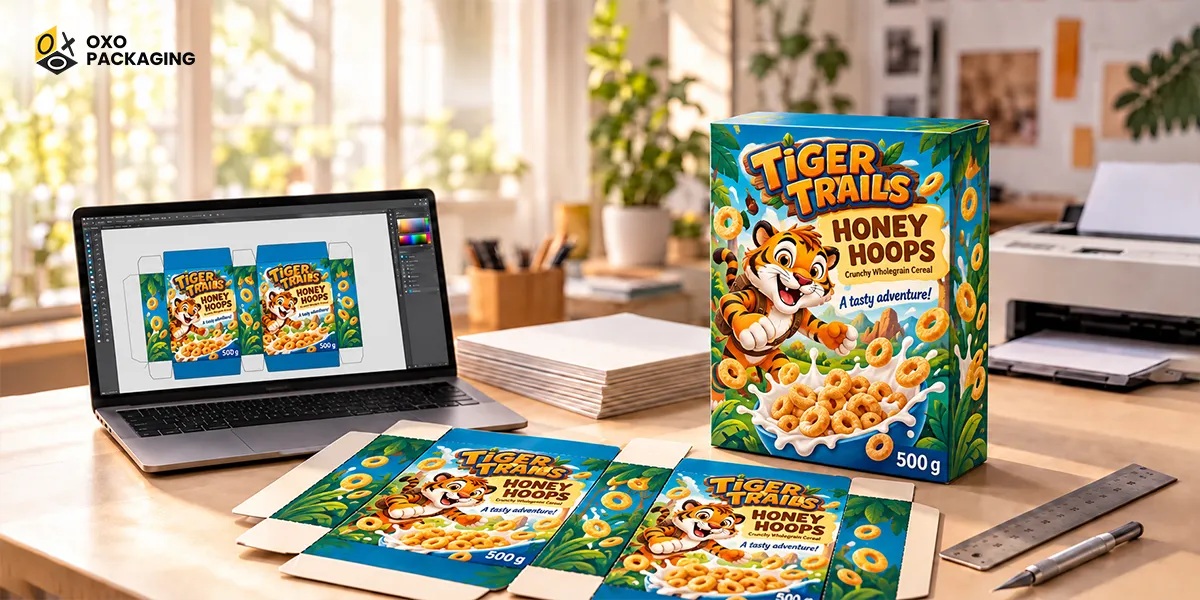
Creating a professional cereal box template and dieline requires using some specialized tools. Some of the important materials, tools, software, and hardware include the following:
-
Software Options for Cereal Box Packaging Design
From among a variety of available tools, software, and platforms for the support of designing cereal box templates and dieline include, the popular choices for your creative, attractive, and professional cereal box manufacturing include:
-
Adobe Illustrator
Adobe Illustrator is one of the best choices to create an awesome design for your own cereal box template and dieline. This is the industry standard for vector precision and enjoys the heavy reliance of most designers.
-
Canva or Adobe Express
Canva or Adobe Express are also amazing tools that provide an excellent opportunity for designers to create a highly professional, precisely focused, and engaging cereal box dieline and template. This software has amazing features and offers convenience to beginners due to its amazing feature of beginner-friendly features.
-
Hardware & Materials
Mostly, heavy-duty cardstock paper for 96 lb or higher strength, paperboard / SBS board, and other similar options can provide a stronger base, cost-efficiency, and lightweight packaging solution for cardboard cereal boxes. A color printer, a cutting tool or cutting machine, and some other small instruments you need to produce the perfect output for your cereal boxes wholesale as a result.
Step-by-Step: Setting Up Your Cereal Box Template Printable
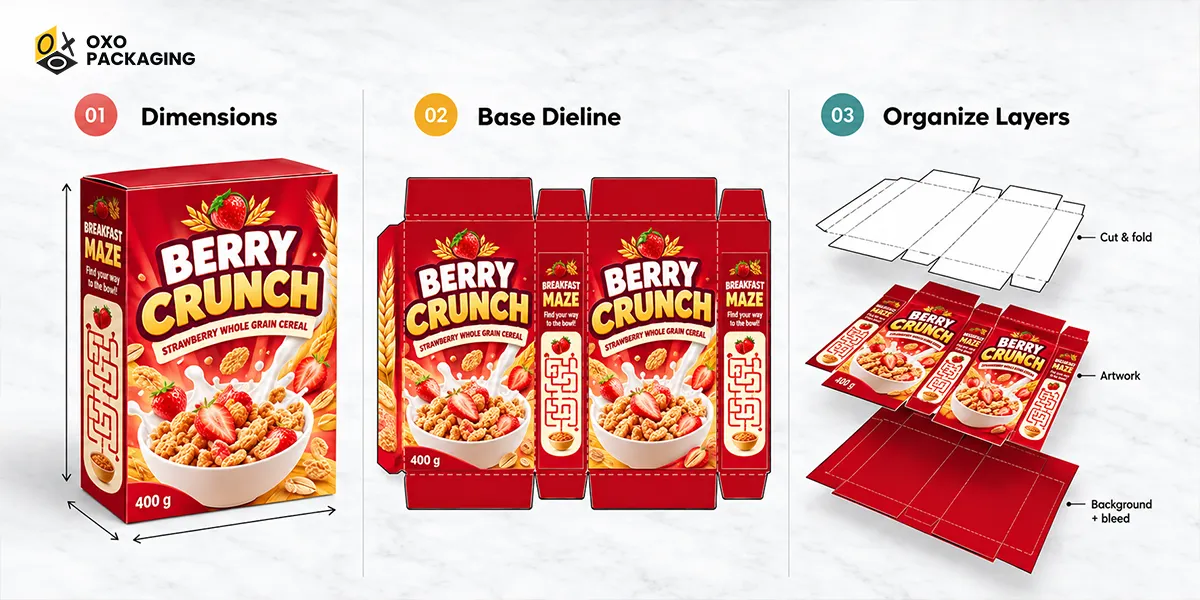
After preparing the cereal box template and dieline, you can follow the following steps to make your boxes printable and ready for production. The following are simple yet important to streamline your product box packaging with the perfect printing, die-cutting, and assembling of these boxes:
Step 1: Determine Dimensions for Cereal Box Design Template
Check the details for your product packaging requirements, the dimensions, and the size that you might need to produce as a final output of the design of the template and dieline. Determine dimensions for your standard cereal box dimensions, like standard family sizes vs. mini favor boxes tailored to your custom requirements for the quantities of your products.
Step 2: Build or Download a Base Dieline
Choose from the different layout tools or generators; you should choose the one that perfectly meets your custom requirements. Build or download a base dieline and move to the next step toward the final printing and packaging of your product boxes.
Step 3: Organize Your Layers
And finally, move to the organization of your layers, starting from the top layer to the bottom layer. These layers play an important role in the production of the final cereal box's incredible look and structure. Explore the following:
- Top layer: The top layer of the cereal box design ideas for its template contains the locked cut and fold lines for the quick assembly of these boxes.
- Middle layer: The middle layer of these templates has a diligently crafted artwork with the branding elements, colors, and custom text to stand out in the crowded market.
- Bottom layer: The bottom layer contains background and bleed areas to protect the edges of the designed and crafted cereal boxes with your branding details.
How to Make a Cereal Box: Printing, Cutting, and Assembling
Finally, we have now arrived at the making of cereal box printing, cutting, and assembling these boxes. The following important factors can streamline the processes for the production, packaging, and presentation of your products:
-
Exporting the Print-Ready Cereal Box File Correctly
Save the designed template and dieline as a flattened PDF or vector file with a print-ready cereal box file. They are ready to print in CMYK, 300 dpi (dots per inch), in the PDF or AI file format.
-
The Cutting Phase
In the cutting phase, you need to cut the printed sheets along solid lines and score along dashed fold lines to produce the perfect cereal boxes for your cereal brand.
-
The Glue Phase
Apply double-sided tape or craft glue to tabs to lock the 3D shape of your cereal box mockup. Check it in detail for any shortcomings or faults, and then finally repeat the gluing process for the entire lot.
Concluding Remarks
The importance of starting with an accurate dieline can be understood with the simple rule that an accurate dieline and template provide sure and perfect packaging boxes for the cereal content of your brand. For the simple idea of how to perfectly craft a cereal box template & dieline, explore and partner with an expert and reliable custom packaging solution provider in the USA.
Food-grade paperboard, solid bleached sulphate board, and kraft paper are the common and popular material choices to create cereal boxes. However, you can line them with polyethylene or plastic to block moisture or oxygen and keep the products fresh longer.
OXO Packaging is a reliable custom packaging solution provider. It offers expert design support with zero charges to your brand. You can share your custom packaging requirements, brand guidelines, and desired specifications; we will take care of the rest.







 Let's Call